The Minecraft launcher for mods and playing with friends
Any version and loader, mods and modpacks from CurseForge and Modrinth — and friends join your world without Hamachi, with your modpack installed for them. Free, open source, no ads.
- No ads, no paid features
- Open source
- Windows, macOS and Linux
- Own download mirror for Russia and Ukraine
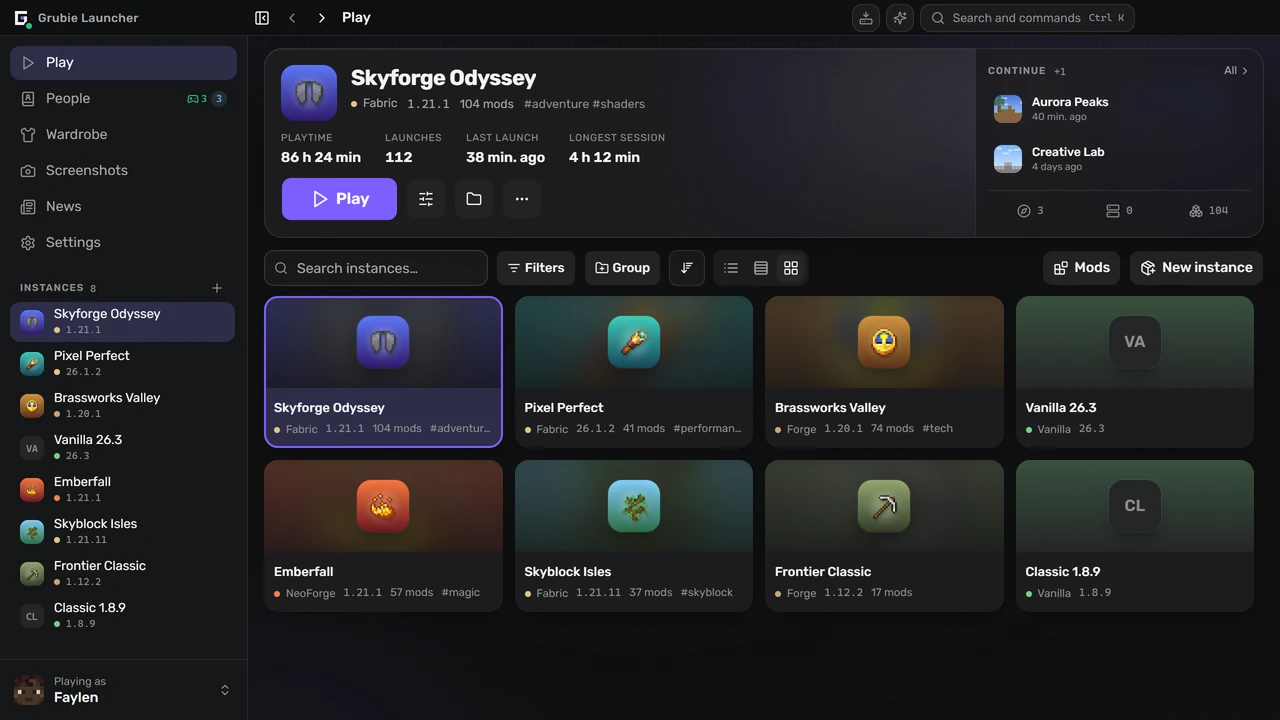
Grubie in numbers
- 1,033
- Players in Grubie
- 2,797
- Launcher downloads
- 14,613
- Hours played
01Playing and modpacks
Any version. Any loader.
Fabric
Lightweight, fast and first to update
Press 1–9 or scroll over the hotbar
Modpacks from CurseForge and Modrinth — or from another launcher
See what’s inside before you install, tick the optional files you want, and update with a preview of what changes — with a way back if something breaks.
Drop a .mrpack or .zip here
CurseForge · Modrinth · Prism
The file stays on your computer: only its name and size are read here.




Move from another launcher
Prism, MultiMC, ATLauncher, GDLauncher, CurseForge, Modrinth App, the official launcher, TLauncher and Legacy. Instances are copied; the old launcher stays as it was.
Same modpack, another version
A copy of the instance on another Minecraft version or loader, with matching mod versions, settings, configs and worlds.
Shared game settings
Controls, video settings, servers, hotbars and resource packs carry over between instances — set them up once.
Less space on disk
Identical mods, resource packs and shaders are stored once, however many instances use them.
Straight into the world
Continue where you left off — into a world or onto a server in one click, or from a desktop shortcut.
Gamepad and portable
Gamepad navigation and a big mode for Steam Deck and TV; a portable Windows build for a USB stick.
02Together
Open your world to friends


Friends in Minecraft 26.2 and in Grubie
Minecraft 26.2
- Friends list for Microsoft accounts only
- Online play without a server was pulled before 26.2 shipped — it isn’t out yet
- Won’t install your modpack for a friend
Grubie
- Friends, groups and voice chat with Microsoft, Ely.by, LittleSkin and Discord accounts — your Minecraft friends show up too
- Your world opens to friends directly or through our relay: no Hamachi, no port forwarding, even behind CG-NAT
- A friend gets your modpack with all its mods automatically — and its updates too
Compared with the Minecraft 26.2 and 26.3 releases — snapshots don’t count.
Grubie inside the game
The companion mod brings the launcher into Minecraft: friends, invites, opening your world and voice chat, without alt-tabbing. Its panels are drawn in Grubie’s own style and look the same on every version. New instances get it on their own.
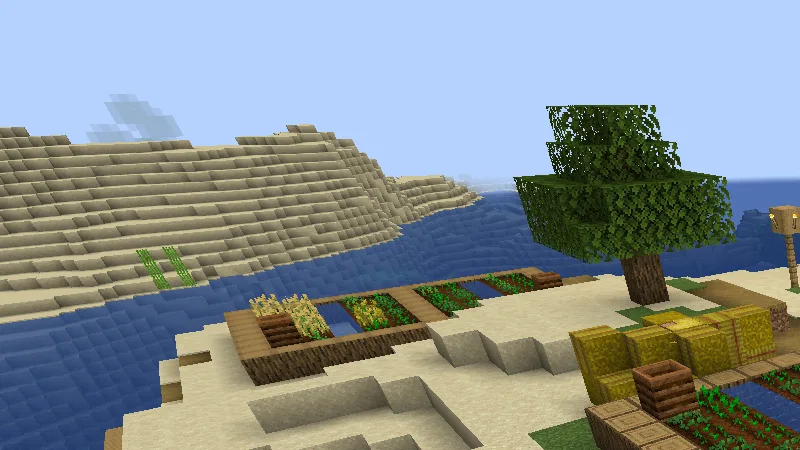
Fabric, Quilt and Forge from 1.16.5, NeoForge from 1.20.1, up to 26.3. It can be turned off for any instance; the mod’s code is open on GitHub.
Friends and groups
Requests, direct messages and group chats. A group invite is a plain link that opens from Discord or Telegram.
Voice chat
Rooms in groups and one-to-one calls; push-to-talk on a global key works in the game too, with noise suppression.
Your own server for friends
A server next to the instance — Vanilla, Paper, Purpur, Forge, NeoForge, Fabric and more — opens to friends like a world: by invite, with a guest list and a slot limit.
A modpack by code
Share an instance with a short code: friends get every update you make and see what changed.
Where friends play
The server catalog shows which server a friend is on, and you join with their instance.
Screenshots and notifications
Screenshots of every instance in one feed, sent to a chat in a click; notifications over the game, and in Telegram while the launcher is closed.
Ready to play together?
Free for Windows, macOS and Linux. Your friends will need Grubie too — send them this page.
03Mods and worlds
Mods, under control

Updates
Skyforge Odyssey · Fabric 1.21.1
- SRelease
Sodium
0.6.130.6.14
- LRelease
Lithium
0.15.10.15.2
- IRelease
Iris Shaders
1.8.111.8.12
- F
Fabric API
Pinned at 0.116.1 — stays as is
The catalog, outside an instance
Find a mod and put it into any instance straight from the catalog. The Install buttons on Modrinth and CurseForge can open Grubie.
Mod relations
What a mod requires, what needs it and what is bundled inside. Turn a mod off, and the launcher offers to turn off what depends on it.
Groups and sets
Groups collapse and switch on or off at once; mod sets are saved and added to any instance.
Unknown files
Jars found neither on CurseForge nor on Modrinth are flagged and not installed unless you tick them.
Config editor
Search, syntax highlighting, groups and saved copies to roll back to.
From the modpack, or yours
Marks and filters show what came with the modpack and what you added; copies of one mod go away in a click.
Worlds, maps and schematics
Every instance has a Worlds tab: maps and data packs from the catalog, progress, backups and tools for builders.
Maps and data packs
A map from the catalog becomes your own world; a data pack goes into the world you pick.
Schematics in 3D
Litematica, WorldEdit and structure files with real block names and icons, a materials list and a 3D view.
Advancements and seed
Advancement progress of every world, and its seed opened on a seed map.
Chunk editor
A map of every generated chunk with a satellite view: find outdated or damaged chunks and delete them with a backup taken first.
World backups
Automatic after a session and by hand; a safety copy is taken before any restore.
04When something breaks
Game crashed? The launcher tells you why
No crash, but something is wrong?
Lag, flickering, a strange bug — the culprit search switches half of your mods off, you launch the game and say whether the problem is still there. A few runs later it is down to one mod or a pair.
Find the culprit
Pick the mod that will “break” the game — the wizard will find it
Crash card
The cause and the fix in one place. The rules come from our server and get better without a launcher update.
AI crash analysis
For crashes the rules don’t know. No key needed; paths, nicknames and tokens are stripped from the log before it is sent.
Integrity check
Re-downloads damaged and missing files of an instance.
Run history and support
Every launch with its log and exit code. A support report gets a GRB code, and the answer arrives in the launcher.
When the game hangs
The companion mod tells the launcher which mod the game is stuck in.
When a service is down
A download mirror, a connection test, a launch with the saved session when sign-in is down, and a guard against Vulkan crashes on 26.x.
05Assistant
An assistant that does the work for you
- Builds an instance
- Finds mods
- Works out why it will not start
- Tidies up
You’ll need your own API key — any compatible provider or a local model — and an online account: Microsoft, Ely.by, LittleSkin or Discord.
Speeding up Skyforge Odyssey
Runs on your own key — any compatible provider or a local model
06Skins, themes and profile
Your skin, your theme, your profile
Most taken
Play as usual. Achievements come on their own.
All 60 achievements unlock by themselves from the statistics of your worlds, a friend’s shared world and — with the companion mod — servers. Each shows how many players have it, and points raise your level and your place on the leaderboard.
Rarest right now
Your world data stays on your computer — only your nickname and score reach the leaderboard.
07Why Grubie
A launcher you can trust — and check
No ads, no paid features
No banners, no subscriptions. Donations are voluntary and only buy a thank-you: a Discord role and a badge by your name.
Open source
All the code is on GitHub under GPL-3.0: read it, suggest a change or build the launcher yourself.
Signed updates
The launcher updates itself and installs only an update signed by Grubie, so nobody can slip in a fake one.
Checked modpacks
Published modpacks are checked for known malware, and jars of unknown origin are flagged when you import a modpack.
Your privacy, your call
Most data stays on your computer. Crash diagnoses and feature counters switch off in the privacy settings, and streamer mode hides addresses and codes.
Works where you are
Windows, macOS and Linux, a portable build, nine languages and our own download mirror for when official servers are out of reach.